Automated Job Scheduling for Home Services
Last updated: March 2026
Overview
Your dispatcher handles 40-80 calls per day, spending an average of 35 minutes on each scheduled job. The math is brutal: at 60 calls daily, your dispatcher is doing nothing but scheduling. Meanwhile, 28% of your potential customers prefer to book online—and if you don't offer that option, they'll find a competitor who does.
The real cost isn't just the $52,000-$68,000 annual salary for a dispatcher buried in booking calls. It's the 15-25% of jobs lost to no-shows because no one sent a reminder. It's the customers who hung up after 4-7 minutes on hold during peak periods. It's the after-hours demand you're not capturing because your phone goes to voicemail at 5pm.
This page breaks down exactly how automated job scheduling works for HVAC, plumbing, electrical, and other home service businesses. You'll see the specific steps from customer request to confirmed appointment, the integration points with ServiceTitan, Jobber, HouseCall Pro, and other field service platforms, and the metrics you can expect based on industry data from thousands of similar companies.
The Problem
The average home service dispatcher handles 60 inbound calls per day, with each scheduled job consuming 30-45 minutes of coordination time. Here's the breakdown that's costing you money: 60% of those scheduling calls are routine bookings requiring no human decision—they're just calendar Tetris. Customer hold times average 4-7 minutes at peak periods, which is exactly when frustrated homeowners hang up and call your competitor. No-show and cancellation rates run 15-25% industry-wide, largely because manual reminder calls don't happen consistently. And 25-30% of customers actively prefer to book online rather than call—demand you're losing entirely if your only option is "call the office."
The Solution
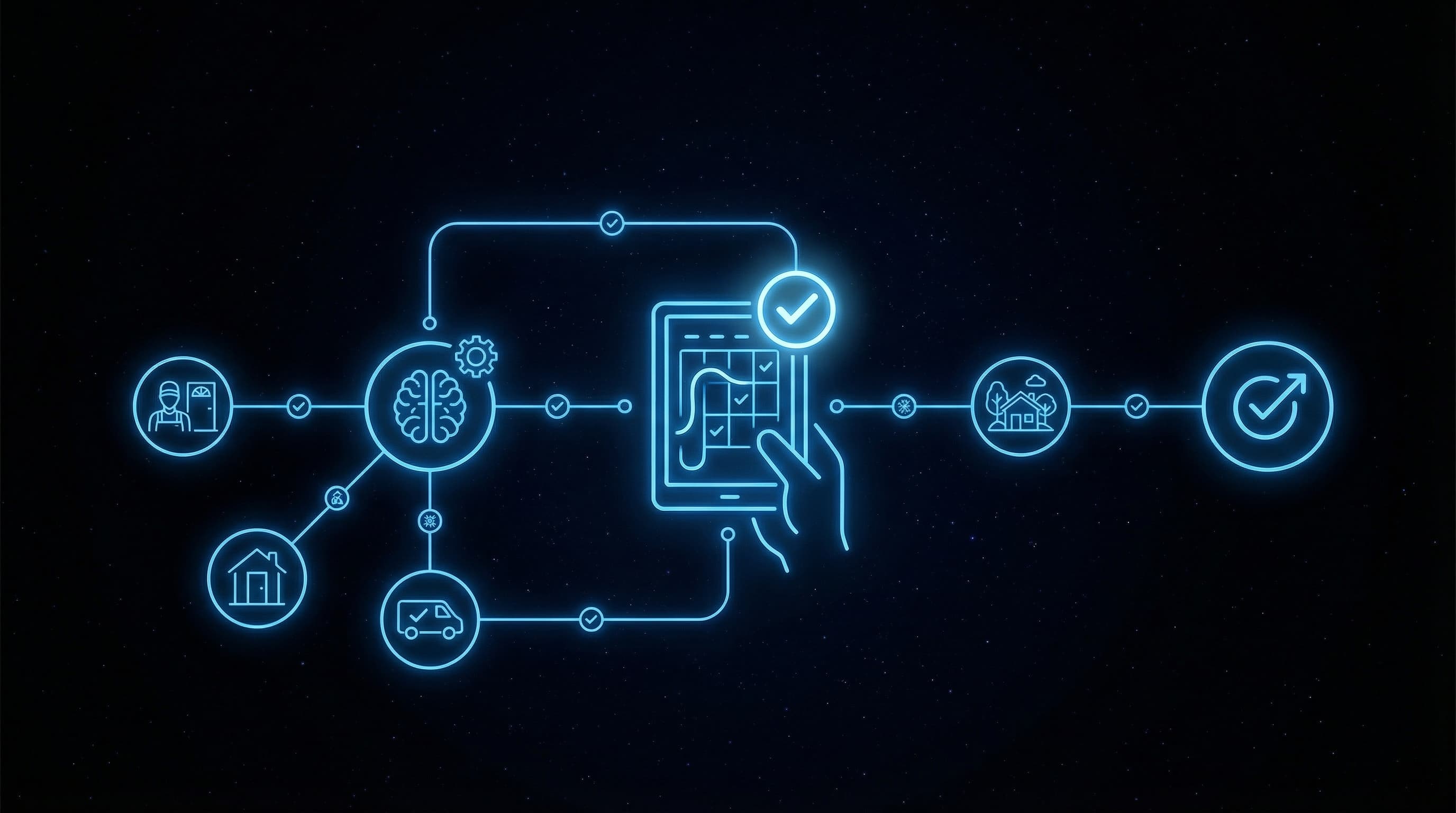
Elevasis automates the end-to-end scheduling workflow from initial customer request to confirmed appointment with reminders. When a homeowner wants to book a drain cleaning or HVAC tune-up, the system presents available service windows based on your technicians' real-time availability, service territory coverage, and job type requirements. It handles the back-and-forth of finding a time that works, captures all required job details (service address, access instructions, equipment age), and automatically deploys confirmation and reminder sequences that reduce no-shows by 25-35%. Your dispatchers stay focused on complex scheduling—emergency calls, multi-technician jobs, route optimization decisions—while the AI handles the 60% of bookings that are straightforward.
How It Works
- 1
Customer Initiates Booking Request
A homeowner requests service through your website, SMS, or AI-answered phone call. The system immediately captures job type, service address, and urgency level—no hold time, no voicemail, available 24/7 to capture the after-hours demand that represents a significant portion of booking requests.
- 2
AI Matches Job to Available Service Windows
The system checks your field service management platform (ServiceTitan, Jobber, HouseCall Pro, FieldEdge, or similar) for real-time technician availability. It factors in service territory, technician certifications, job duration estimates, and existing route efficiency to present the customer with accurate time slots.
- 3
Customer Selects Time and Confirms Details
The customer picks their preferred service window and confirms job details including access instructions, equipment information, and contact preferences. The AI asks the qualifying questions your dispatchers would ask—ensuring technicians arrive prepared and jobs don't get delayed by incomplete information.
- 4
Appointment Syncs to Your Dispatch Board
The confirmed booking automatically populates in your field service platform with all captured details. Your dispatcher sees the new job on their board without having touched a phone—freeing them to focus on route optimization, emergency scheduling, and complex multi-technician coordination.
- 5
Automated Reminders Reduce No-Shows
The system deploys confirmation texts and reminder sequences at optimal intervals before the appointment. These automated touchpoints reduce no-shows and cancellations by 25-35%—recovering revenue that would otherwise disappear when customers forget or double-book themselves.
Results
Home service businesses using automated scheduling see inbound scheduling calls drop by 50-60%, with dispatchers recovering 2-3 hours per day previously spent on routine bookings. The 24/7 availability of online booking increases total booking volume by 24% by capturing demand that previously went to voicemail. Automated confirmation and reminder sequences reduce no-show rates by 25-35%, which for a company running 15-25% no-shows translates directly to recovered revenue on jobs that would have been empty truck rolls.
Automated Scheduling Impact
0%
Scheduling Call Reduction
Fewer inbound scheduling calls
0hrs/day
Dispatcher Time Saved
Freed from routine booking tasks
0%
No-Show Reduction
With automated reminders and confirmations
0%
After-Hours Bookings Gained
More jobs captured off-hours
Source: Vendor Data
Frequently Asked Questions
The AI is configured with your specific service catalog—from standard drain cleaning to complex HVAC replacements. When a request falls outside defined job types or requires human judgment (emergency situations, unusual equipment, jobs requiring site assessment), the system captures all details and routes to your dispatcher with full context. Your team handles the exceptions while the AI handles the 60% of routine bookings.
Absolutely. Automated scheduling supplements your phone booking—it doesn't replace it. The system captures the 25-30% of customers who prefer online booking and handles after-hours requests, while customers who want to speak with a dispatcher still reach your team during business hours. The difference is your dispatcher is now available for those calls instead of drowning in routine bookings.
Complex jobs requiring multiple technicians, specialized equipment, or extended service windows get flagged for dispatcher review rather than auto-confirmed. The AI still captures all job details and customer preferences, but presents these as scheduling requests rather than confirmed appointments. Your dispatcher makes the routing decision with complete information already gathered.
Most home service businesses are live within 2-3 weeks. The timeline depends primarily on your field service platform integration—ServiceTitan, Jobber, HouseCall Pro, and FieldEdge have established connection protocols. The setup process includes configuring your service catalog, technician availability rules, service territories, and reminder sequences.
The system works from your real-time technician availability, so when you're slammed during peak HVAC season or after a storm event, customers see only actually available slots. You can adjust buffer times, limit same-day bookings, or expand service windows as capacity changes. The AI doesn't overbook—it presents what's genuinely available.
Customers can reschedule or cancel through the same channels they booked—no phone tag required. The system automatically updates your dispatch board, opens the slot for other bookings, and handles any follow-up communication. For cancellations within a certain window, it can prompt rescheduling rather than outright cancellation to recover the job.
Ready to Automate Your Business?
See how automated scheduling works with your specific field service platform. Book a 15-minute demo to walk through the integration with ServiceTitan, Jobber, HouseCall Pro, or your current system—and calculate exactly how many dispatcher hours you'll recover.